Context
Strategic gap was visible: Slack × Sales Cloud user overlap sat at 5%. The two products had years of integrations but no shared shape. The acquisition needed a product story — and the obvious one (make Salesforce records first-class objects inside Slack) was both right and dangerous.
Right because that’s where the work actually happens. Dangerous because the easy implementation — a Salesforce sidebar or iframe — would have recreated the surface most users were trying to escape.

Where does CRM fit inside of Slack?
The threshold question wasn’t what features a Salesforce record should have inside Slack. It was structural: what is a record, in Slack’s vocabulary?
I worked through five candidates:
- A sidebar panel. Slack’s right rail, populated with record fields. Clean in implementation, but it relegates records to context-for-conversations. The deal lives somewhere else; Slack just glances at it.
- An app view. A Salesforce-shaped surface inside Slack’s app framework. High fidelity to the source, but the result was Salesforce-with-Slack-chrome, not Slack-with-Salesforce-data.
- An iframe. Direct embed of the Sales Cloud UI. Fast to ship, zero design effort — which is also why it was the worst answer.
- A new object type. Invent a new Slack primitive alongside channels and DMs. Conceptually clean, but forces every user to learn a new concept and every Slack feature to learn a new edge case.
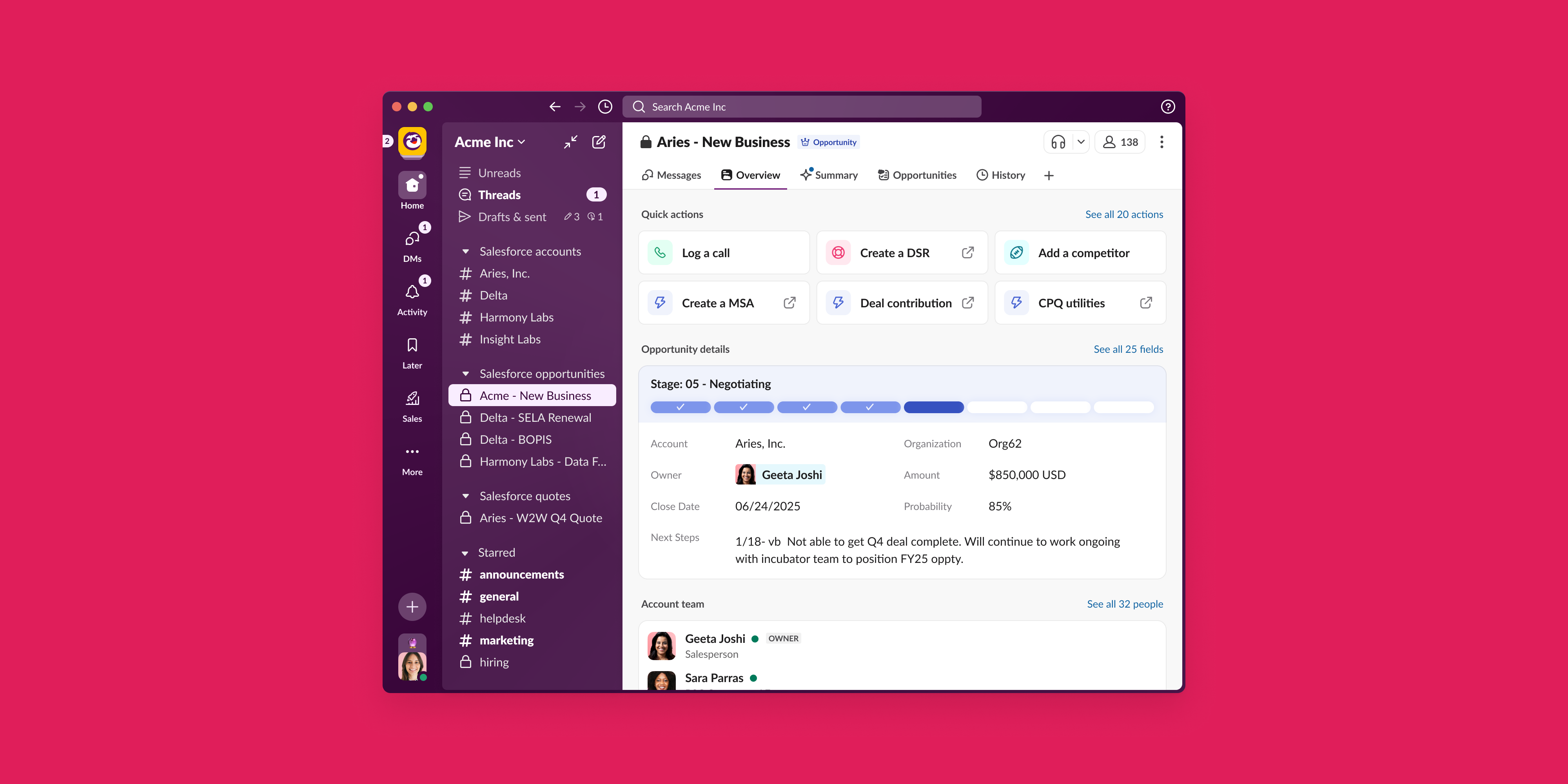
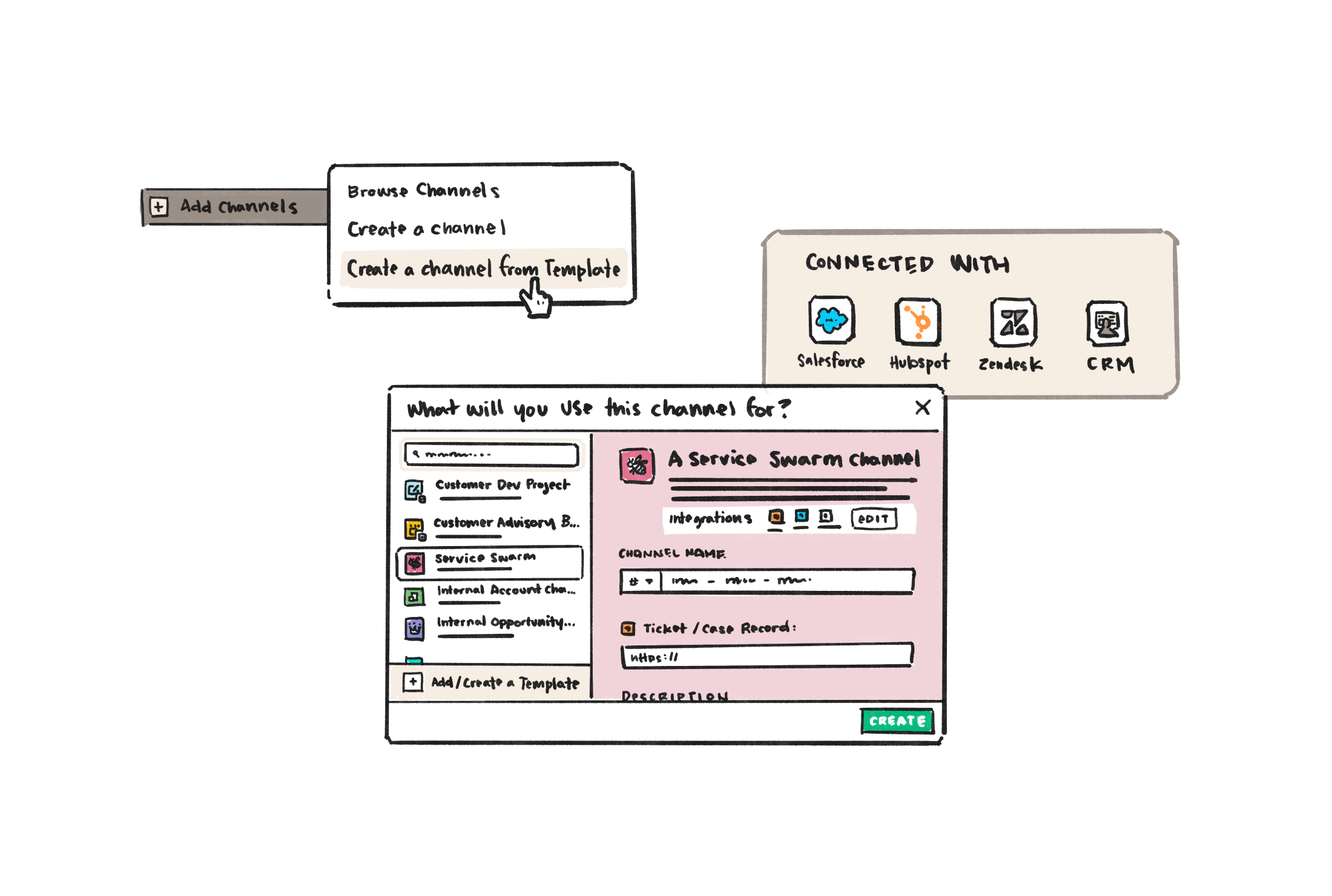
- A channel. Extend the existing primitive. A “deal channel” anchored to a record.
The fifth won. Slack users already used channels as the natural collaboration unit around any shared work item. A #acme-renewal channel had been a workaround for years. Record channels weren’t a new concept — they were a vocabulary upgrade for something people were already doing.
What the first build taught us
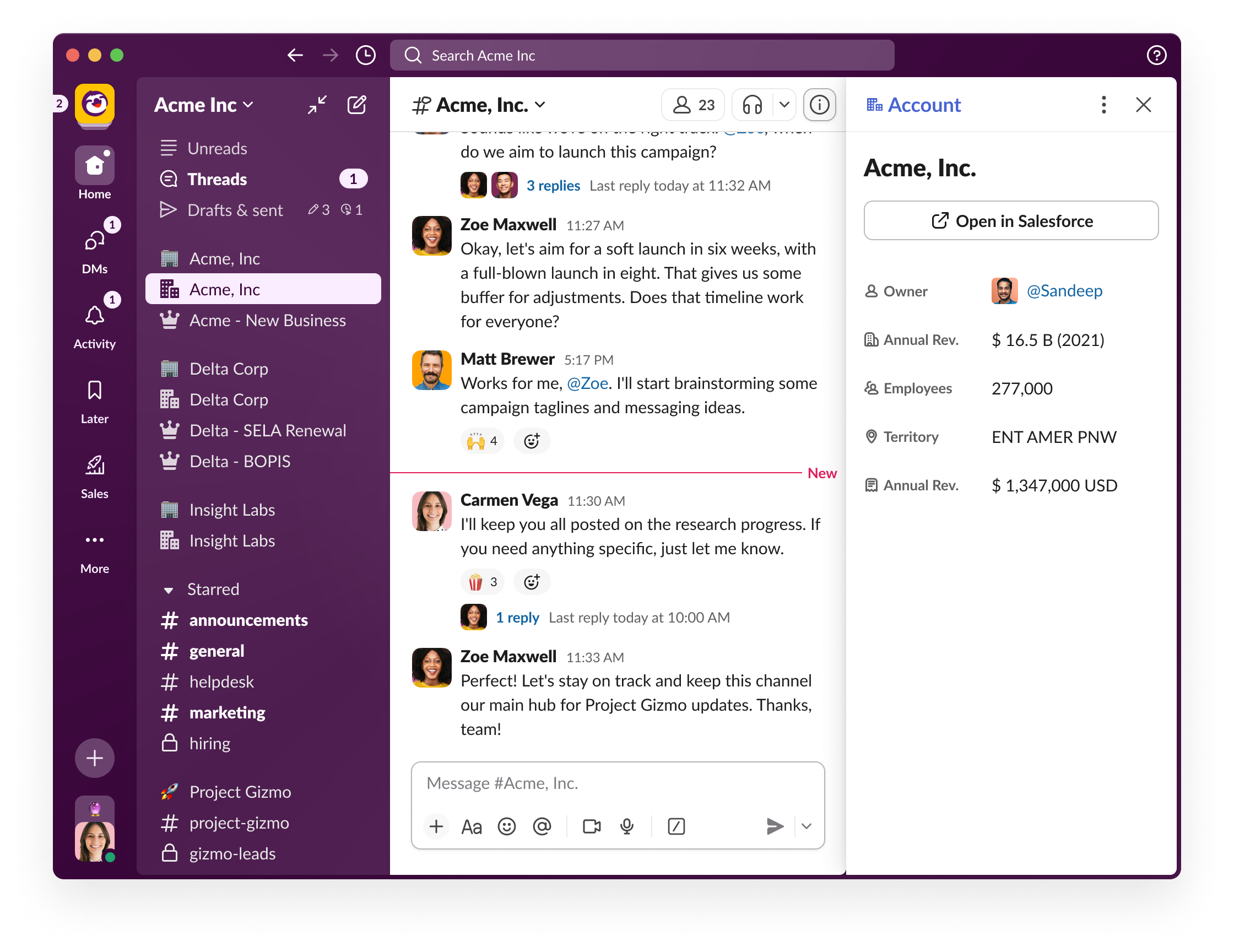
The first working prototype was compelling in promise and thin in payoff. We’d loaded Sales Cloud metadata — stage, amount, close date, owner — into a side panel attached to the channel, expecting that surfacing the data was the unlock. It wasn’t.
The information was already in the AE’s head. They lived with the deal every day. Putting the same fields next to the conversation made the channel useful for someone joining the deal, but it didn’t change anything for the person who owned it.
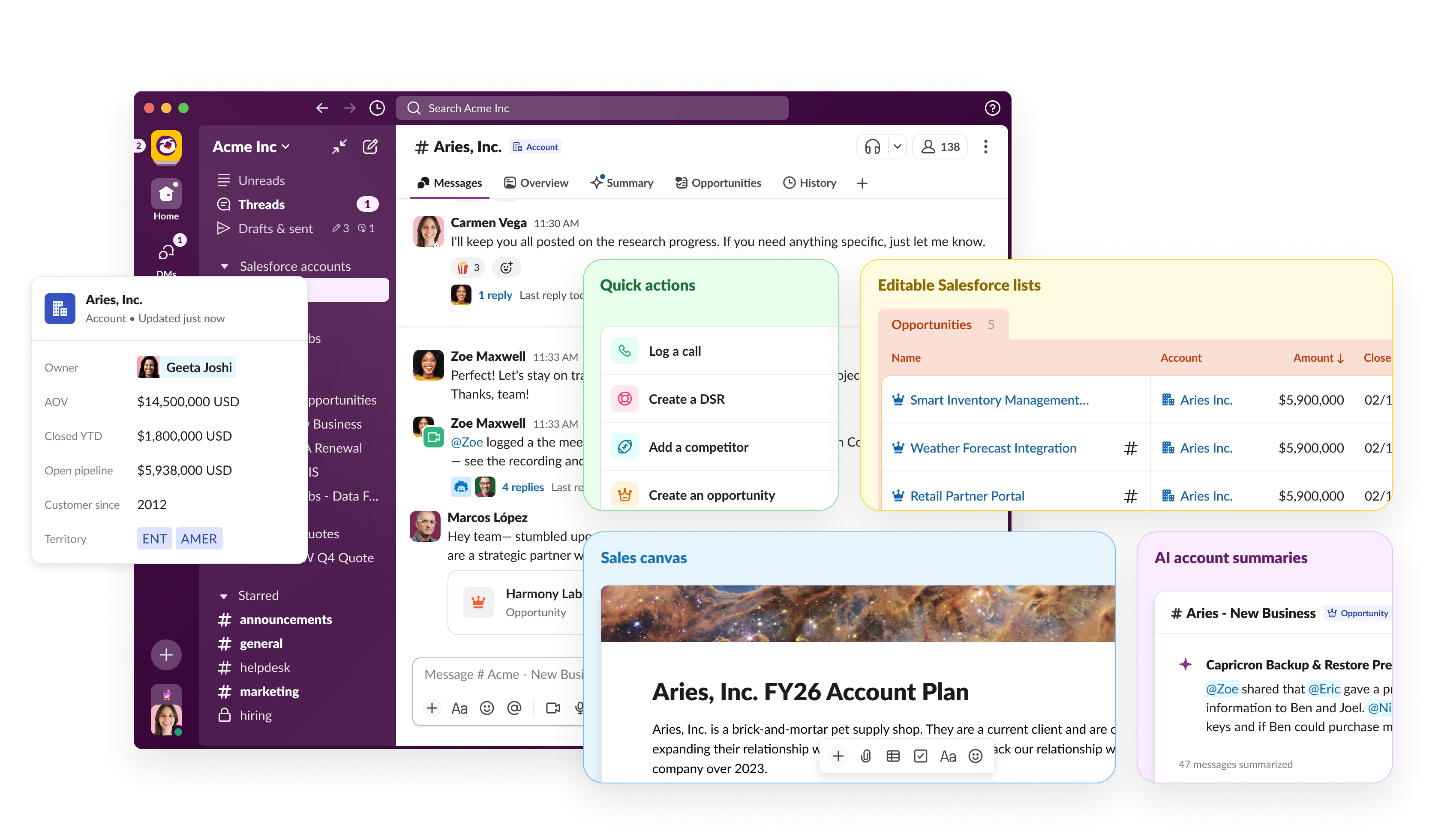
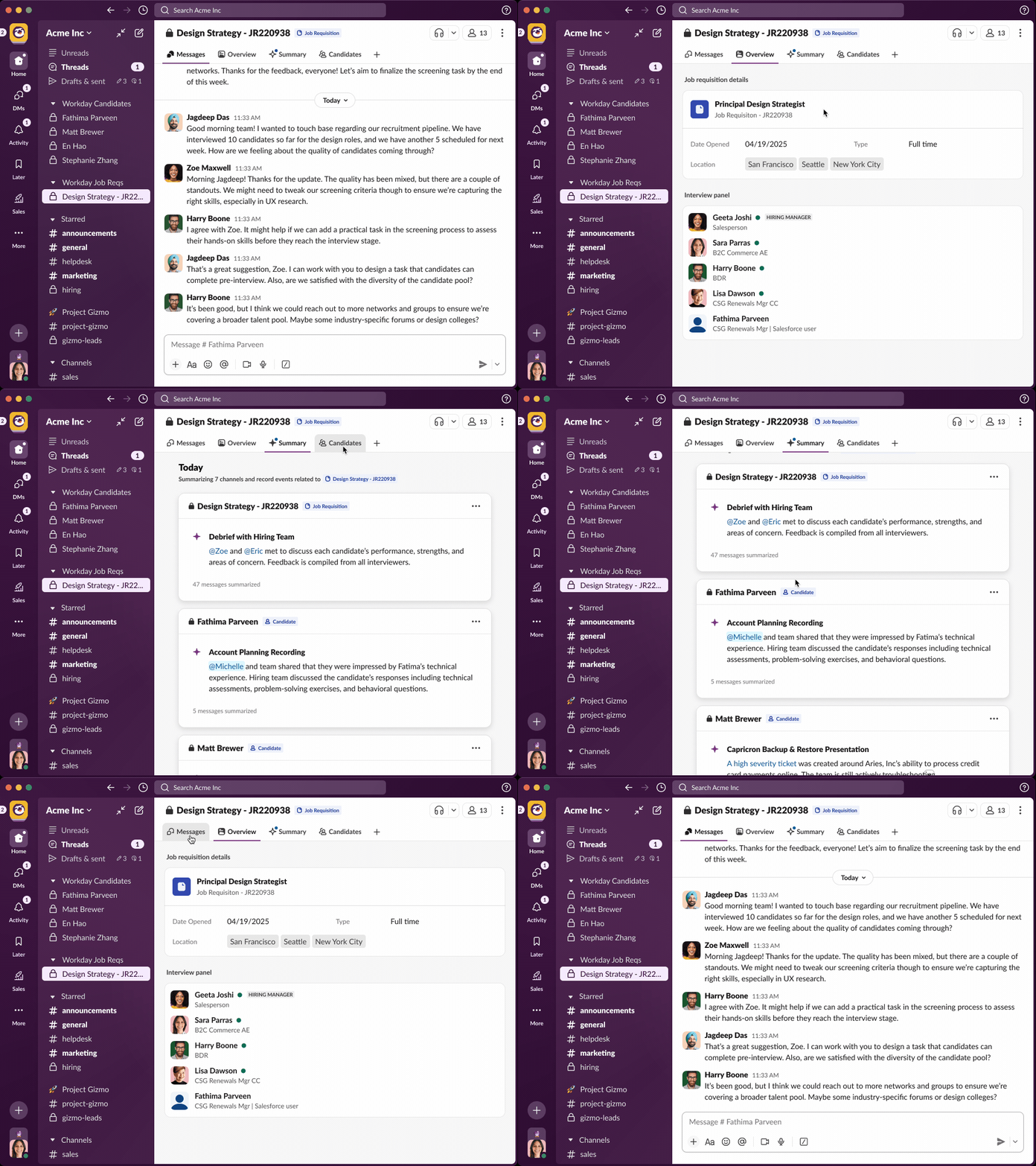
The real unlock came with channel tabs. Tabs let us go past reference and add capability — AI summaries, consumer-grade lists synced with Salesforce records, account plans and quick actions inline, workflows running inside the channel itself.
Generalizing past Salesforce
The strongest validation of the abstraction was that it kept working in domains we hadn’t designed for. Workday came next — the same channel-as-record pattern applied to job requisitions. Interview panels, hiring managers, and recruiters collaborated in a single channel and wrote back to Workday on submit.
The pattern has since generalized into Slack’s work objects platform, with hundreds of development partners building record channels around their own data — Workday for hiring, Jira for issues, and a long tail beyond. The principle held: a channel is the right unit of integration. The record system underneath can change without changing the user’s mental model.
Outcomes
Reflection
The most powerful design move in an enterprise platform is often choosing not to invent a new concept. New concepts are expensive — for users who have to learn them, for product teams who maintain them, for every adjacent feature that has to know about them.
The work that paid off here was structural negation: figuring out what not to build, which existing primitive to load with new meaning. The channel abstraction didn’t add to Slack’s vocabulary; it made the vocabulary do more work. The best abstraction in an enterprise platform is the one that lets you ship the second thing for half the design cost — and the third for a quarter.
The piece I’d revisit is the v1 prototype. We lost weeks treating the metadata problem as a UI question rather than a value question. Next time I’d stress-test the capability layer earlier — even at low fidelity — and let the data display follow, not lead.